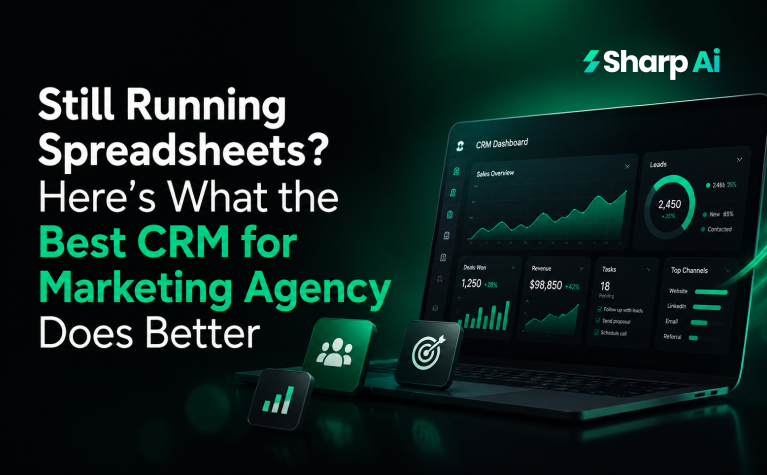
CRM for Marketing Agency Vs. Spreadsheets: Ending the Debate Once and for All
Without further ado, let’s get straight to the point because you have already wasted enough time on spreadsheets… and indecision!
-
Time-Consuming Data Entry
Unlike spreadsheets, where users manually create, update, and maintain records, Sharp AI CRM reduces data entry by automatically generating and enriching contact records through forms, landing pages, calendars, inbound communications, and third-party integrations.
Its workflow engine can populate custom fields, apply tags, assign pipeline stages, create opportunities, update contact ownership, and timestamp activities based on predefined triggers and conditions.
This event-driven automation minimizes repetitive manual input, reduces data inconsistencies, and keeps CRM records synchronized as customer interactions occur.
-
Complex and Unintuitive Interfaces
Sharp AI addresses interface complexity by abstracting underlying CRM data into task-oriented modules such as Contacts, Opportunities, Conversations, Calendars, and Workflows, rather than exposing users to raw datasets.
Its role-based navigation, configurable pipelines, Smart Lists, and contextual views present only the information relevant to a user’s workflow, reducing cognitive load during day-to-day operations.
While the platform’s extensive feature set can introduce an initial learning curve, its object-based architecture and workflow-driven interface minimize the need to navigate disconnected screens or manually manage data across multiple systems.
-
The Learning Curve
Sharp AI reduces the CRM learning curve by standardizing customer data into a centralized object model, where Contacts, Opportunities, Conversations, Calendars, and Workflows are interconnected through a consistent interface.
Instead of requiring users to manually build formulas, maintain linked spreadsheets, or reconcile data across multiple files, Sharp AI automates record creation, status updates, and activity logging through configurable workflows.
Although initial onboarding requires users to understand CRM concepts such as pipelines, automation triggers, and custom fields, the platform minimizes long-term operational complexity by replacing manual processes with rule-based automation and centralized data management.
-
Fragmented Systems
Sharp AI CRM reduces system fragmentation by consolidating core customer-facing operations into a single platform built around a unified CRM database. Instead of distributing contact records, communication history, sales pipelines, appointment scheduling, and marketing automations across multiple disconnected applications, Sharp AI stores these as interconnected CRM objects linked to a single contact record.
Native modules such as Conversations, Calendars, Opportunities, Payments, and Workflows share the same underlying customer data, eliminating duplicate records, reducing synchronization issues, and enabling automations to execute across the entire customer lifecycle without relying on manual data transfers.
-
Small businesses love spreadsheets, then why is CRM better?
Small businesses don’t actually love spreadsheets. They love that spreadsheets are free, familiar, and flexible. Those are very different things. The problem is that spreadsheets weren’t designed to manage customer relationships or operational workflows. They become increasingly unreliable as the volume of leads, customers, and team members grows.
Here’s why a CRM outperforms spreadsheets from a technical and operational standpoint:
| Spreadsheets | CRM (e.g., Sharp AI) |
| Static rows and columns | Structured CRM objects (Contacts, Opportunities, Conversations) |
| Manual data entry | Automated record creation and updates |
| Manual status tracking | Dynamic pipelines with stage automation |
| Separate files for different teams | Centralized customer database |
| Manual follow-up reminders | Automated tasks, emails, SMS, and workflows |
| Basic filters | Smart Lists and dynamic segmentation |
| Limited audit trail | Complete activity timeline with timestamps |
| No native relationship between records | Relational data model linking contacts, deals, appointments, and communications |
| Collaboration issues and version conflicts | Real-time multi-user access with role-based permissions |
| Manual reporting | Live dashboards and operational reporting |
Why does this matter in practice?
Imagine a marketing agency receives 150 leads a month.
In a spreadsheet, someone has to:
- Add each lead manually (or import it).
- Update the lead’s status after every interaction.
- Record calls, emails, and meetings.
- Assign the lead to a salesperson.
- Remember when to follow up.
- Create reports by filtering or using formulas.
12 Questions to Ask Before Buying CRM for Digital Marketing Agency
In Sharp AI, much of that happens automatically:
- A form submission creates or updates a Contact.
- A workflow creates an Opportunity in the appropriate pipeline.
- The lead is assigned to a team member.
- Follow-up emails and SMS messages are triggered.
- Tasks are created automatically.
- Every interaction is logged on the contact’s timeline.
- Reports update in real time because they’re generated from live CRM data.
The key difference is that a spreadsheet is a passive data repository. It stores whatever people type into it.
A CRM is an operational system. It doesn’t just store data. It uses that data to trigger automations, enforce business processes, maintain relationships between records, and provide real-time visibility into the sales pipeline.
That’s why many small businesses start with spreadsheets. At five or ten customers, they’re perfectly adequate. But once you’re handling dozens of leads, multiple sales reps, recurring follow-ups, or marketing campaigns, the cost of missed updates, duplicate records, and manual work often outweighs the cost of adopting a CRM. The CRM isn’t “better” because it has more features. It’s better because it turns customer data into an active part of your business operations instead of leaving it as static information waiting for someone to remember the next step.
- Instant deployment
Spreadsheets require businesses to manually recreate templates, formulas, validation rules, and workflows for each new team or client, but Sharp AI CRM streamlines deployment through reusable Snapshots. A Snapshot packages CRM configurations, including pipelines, custom fields, workflows, calendars, forms, and communication templates, allowing agencies to provision a standardized CRM environment across new sub-accounts within minutes. Although integrations, domains, and business-specific settings still require configuration, the platform significantly reduces implementation time while maintaining architectural consistency and operational scalability.
- Total layout freedom
Rather than offering unrestricted layout customization, Sharp AI CRM provides configurable CRM views built on a structured data model. Users can tailor pipelines, custom fields, Smart Lists, dashboards, forms, and page layouts to match their business processes without altering the underlying object relationships or database schema. This configuration-driven approach preserves data integrity, supports workflow automation, and ensures reporting consistency, while still allowing organizations to customize how customer information is captured, organized, and presented.
But in Sharp AI CRM, you cannot:
- Freely rearrange the entire CRM UI like a spreadsheet
- Create arbitrary database tables and relationships
- Completely redesign Contact or Opportunity layouts
- Modify the underlying CRM object model
So if your comparison is spreadsheets vs. Sharp AI CRM, remember that Sharp AI trades unrestricted layout flexibility for structured, standardized data, which is exactly what enables reliable automation, reporting, and collaboration. That’s the benefit your audience actually cares about.
- Less administrative drag
Sharp AI CRM reduces administrative overhead by automating repetitive operational tasks through its workflow engine. Event-driven automations can create and update contact records, assign opportunities, move pipeline stages, schedule follow-up tasks, send email and SMS sequences, apply tags, update custom fields, and trigger internal notifications based on predefined conditions. By replacing manual data maintenance with rule-based automation, Sharp AI minimizes redundant administrative work, improves data consistency, and enables teams to focus on customer engagement rather than routine CRM management.
Where Do Leads Go After Filling Out Forms in CRM Software for Digital Marketing?
-
Spreadsheets Collapse the Moment You Add a Team
Sharp AI CRM is designed for multi-user collaboration through a centralized CRM architecture that provides real-time data synchronization, role-based access control (RBAC), user ownership, and activity tracking. Instead of multiple users editing the same spreadsheet and risking version conflicts or inconsistent data, Sharp AI maintains a single source of truth where Contacts, Opportunities, Conversations, Tasks, and Appointments are updated instantly across the workspace. User permissions, record ownership, audit trails, and workflow automations ensure teams can collaborate on the same customer lifecycle without compromising data integrity or operational consistency.
-
Spreadsheets Lose Context — CRMs Preserve Relationships
Sharp AI CRM preserves customer context by maintaining a centralized contact record that serves as the primary entity for all customer interactions. Instead of storing isolated rows of data, the platform links Contacts to related CRM objects such as Opportunities, Conversations, Appointments, Tasks, Payments, and Workflow activity, creating a persistent relationship graph throughout the customer lifecycle. Every interaction is timestamped and appended to the contact timeline, enabling users and automations to access complete historical context without manually correlating data across multiple spreadsheets or disconnected systems.
-
Spreadsheets Break Under Volume — CRMs Scale With Your Business
Sharp AI CRM is designed to scale operationally by centralizing customer data, automating repetitive processes, and supporting concurrent access across teams without relying on manually maintained spreadsheets. As lead volume and customer interactions increase, native features such as Smart Lists, workflow automation, pipeline management, role-based permissions, and dynamic filtering continue to operate on the same underlying CRM data model, eliminating the need for duplicate files, complex formulas, or manual record synchronization. This allows organizations to manage growing customer datasets and increasingly complex sales processes without proportionally increasing administrative effort.
It doesn’t mean Sharp AI has unlimited performance or is immune to scaling challenges. Like any SaaS platform, there are practical limits, especially with very large datasets or highly complex automation stacks. But compared to spreadsheets, it scales far more effectively because the business process scales, not just the data storage. That’s the distinction that makes the statement technically defensible.
- Improved data security
Sharp AI CRM improves data security by centralizing customer information within a cloud-based CRM that supports role-based access control (RBAC), user permissions, and authenticated user accounts, reducing the risks associated with sharing editable spreadsheets across teams. Instead of distributing customer data through downloadable files, all interactions, contact records, and activity logs are stored within the platform, where access can be restricted by user role and workspace. The centralized architecture also provides an audit trail of CRM activity and minimizes data duplication, helping organizations maintain data integrity and reduce unauthorized access caused by version-controlled spreadsheet sharing.