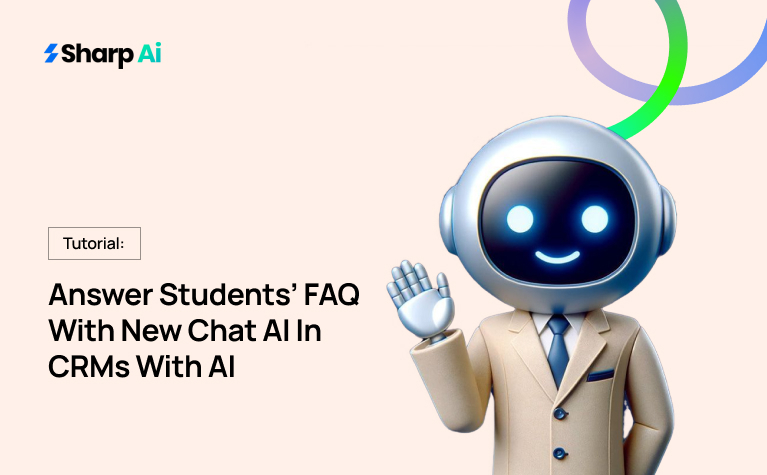
In 2026’s competitive education environment, admissions teams often face a flood of student inquiries pouring in from emails, website chat, SMS, and sometimes social media. These queries can be tough to handle manually during peak enrollment periods. That’s when CRM AI agents come to save the day… and time!
But a CRM software is an expensive investment, so what should you do about that? Simple; Invest in the AI Employee plan by Sharp AI that offers 6 CRM agents and 15+ tools all in £150/month.
But in this FAQ-response case, here’s how the Chat AI agent of the AI Employee plan will help your admin team. Scroll to read!
How Does Chat AI in CRM AI Agents Help Educational Admin?
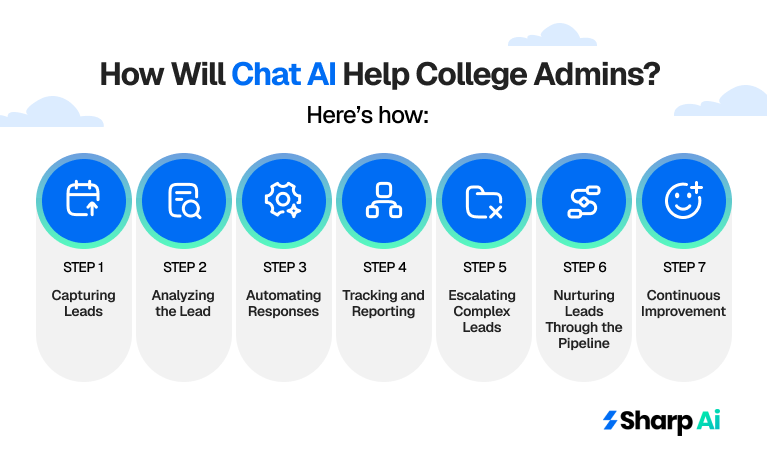
Step 1: Capturing Leads (Student Inquiries)
From a technical perspective, every incoming student question is treated as a lead by the AI Employee in CRM. Our AI Employee platform automatically captures these inquiries across channels and records them in the CRM as structured leads.
This means that every interaction, whether a student sends a chat message on your website, emails an admissions officer, or texts your office, becomes part of the centralized lead database.
For example, if a student texts, “When is the application deadline for Fall 2026?” The Agentic AI in CRM will instantly create a new lead entry with key details: the student’s name, contact information, and the nature of the inquiry.
From CRM AI agents’ standpoint, this is crucial because every lead is now trackable, ensuring no student slips through the cracks. By capturing these details automatically, AI Employee reduces the manual data entry burden on your admissions team, allowing them to focus on more strategic tasks like evaluating applications or conducting personalized counseling.
Step 2: Analyzing the Lead (Understanding Intent)
Once a lead is captured, the next critical step of CRM AI agents is analyzing the inquiry to understand the student’s intent. The best AI employee platform in 2026 uses natural language processing to “read” the question and categorize it. In CRM terms, this is similar to lead scoring or tagging leads based on their stage in the funnel.
For instance:
- “When do I need to submit my application?” → Tagged as Application Deadline Inquiry
- “How do I schedule a campus tour?” → Tagged as Campus Tour Scheduling
- “What documents are required for enrollment?” → Tagged as Documentation Inquiry
This intent analysis allows Chat AI CRM agent to route the inquiry appropriately, either providing an immediate automated response or flagging it for manual follow-up if it’s more complex. This step ensures that responses are relevant, accurate, and aligned with the student’s needs.
CRM AI agents then correctly categorize leads at this stage and also help in tracking trends over time, so admissions teams can see which types of questions are most common and optimize their communication strategies.
Step 3: Automating Responses
Once the CRM AI agents identify the intent, it can provide an instant, automated response. This is where the Chat AI aspect of AI Employee comes into play. Responses are personalized and can be delivered via multiple channels depending on the student’s preferred communication method.
For example, if a student asks, “When is the application deadline?” CRM agent platform responds with: “The application deadline for Fall 2026 is June 15th. Make sure all documents are submitted by then to secure your spot!” This response is automatically logged in the CRM, creating a complete record of the interaction.
Automating responses in this way ensures consistency in messaging across the board. Every student receives the same accurate information, eliminating human error and reducing the time admissions staff spend on repetitive inquiries.
In CRM terms, this is equivalent to triggered automation workflows, where responses are sent based on predefined conditions, except here, AI Employee dynamically interprets the inquiry and decides on the correct reply.
Step 4: Escalating Complex Leads
Not all inquiries can be handled automatically. Some questions are nuanced or outside the standard FAQ, such as:
- “Can I defer my enrollment for a year?”
- “What scholarship options are available for international students?”
Our latest feature has the best AI employee tools designed to recognize when it doesn’t have a confident answer. In CRM AI agents, these leads are flagged for escalation. The system assigns these inquiries to a human admissions officer, ensuring they receive timely, personalized attention.
This escalation process is crucial. It maintains student trust by providing accurate information while ensuring that AI handles routine inquiries, leaving your team free to focus on high-value, complex interactions. Every escalated inquiry is still tracked in CRM AI agents, so there is a clear audit trail of who handled the lead and how, ensuring accountability and transparency.
Step 5: Tracking and Reporting
One of the most powerful aspects of combining AI Employee with a CRM is data tracking and reporting. Every interaction, automated or manual, is logged in the CRM. Admissions teams can see which questions were answered automatically, which were escalated, and how students engaged with the responses.
This tracking enables several important benefits:
- Identify trends: Understand which questions are asked most frequently and adjust your FAQ or automated scripts accordingly.
- Measure response efficiency: Track how quickly inquiries are addressed, whether by AI or human staff.
- Optimize conversion: Analyze which types of inquiries lead to enrollment, allowing the team to prioritize high-value interactions.
From a CRM lens, this turns every student inquiry into actionable data, enabling your team to make informed decisions that improve the admissions funnel.
Step 6: Nurturing Leads Through the Pipeline
AI Employee moves leads along the enrollment pipeline. For example:
- After responding to a question about application deadlines, AI Employee can send a follow-up SMS reminding the student to submit documents.
- For students who schedule campus tours, it can automatically send confirmation messages and reminders.
Every touchpoint is tracked by the CRM AI agents, creating a complete record of the lead’s journey. This ensures that prospective students remain engaged and increases the likelihood of conversion from inquiry to enrollment. Essentially, AI Employee acts like an AI employee scheduling software virtual admissions assistant, maintaining consistent engagement across all stages of the pipeline.
Step 7: Continuous Improvement
Finally, AI Employee improves over time. Every interaction, whether successful or flagged for escalation, is logged and can be used to refine the system. Admissions teams can update the FAQ knowledge base based on new student questions, ensuring the AI handles more inquiries automatically in the future.
This continuous improvement cycle ensures that the AI remains effective and relevant. From a CRM AI agents standpoint, this means your lead engagement becomes smarter, faster, and more accurate over time, helping your team convert more inquiries into enrolled students without increasing staff workload.
Is Chat AI in CRM AI Agents Suitable for Educational Admin Teams?
Yes! It is. This CRM agent in the AI Employee plan is much more than a simple chatbot, it’s a full-featured lead management assistant. Other CRM agents work with Chat AI to capture student inquiries as leads, analyze intent, provide automated responses, escalate complex cases, log all interactions, track engagement metrics, and help move prospective students through the admissions pipeline.
How to Get Our AI Employee Plan?
It’s pretty simple to get this all-in-one package for £150/month. All you need to do is dial +44 7700 174004 or drop an email at info@sharpai.app. You can also book a 30-minute FREE DEMO by clicking here. What are you waiting for?